Reports
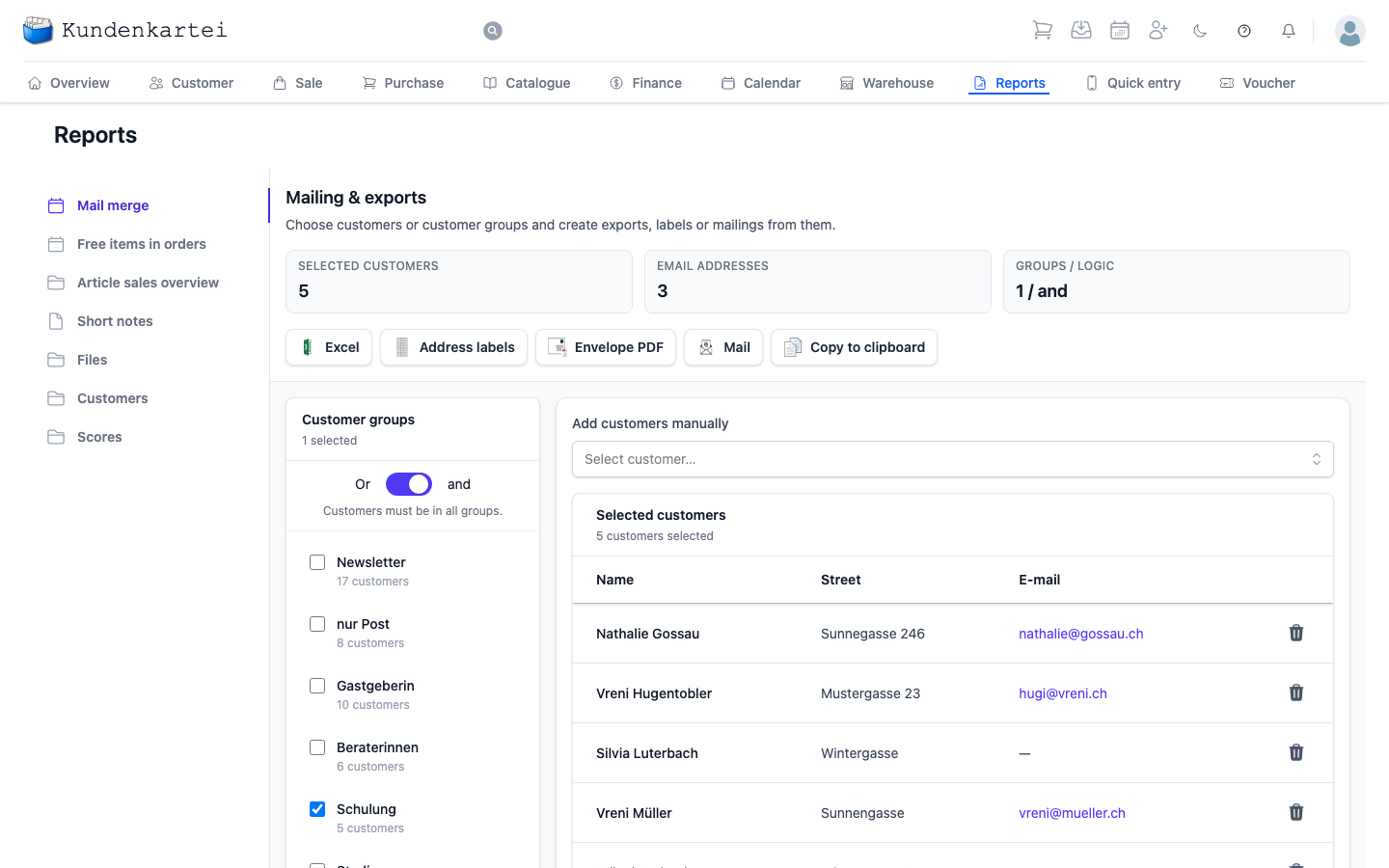
Reports is the page where you evaluate your card index and make something of it: a mail merge, an address label, a spreadsheet, a circular e-mail.
Left: the evaluations
The left column lists what is available. A click changes the whole right-hand side.
| Evaluation | What for |
|---|---|
| Mail merge | mailings, labels and exports from customer groups |
| Free items in orders | what you have given away |
| Article sales overview | what sells, what sits |
| Short notes | the notes on your customers |
| Files | what has been filed |
| Customers | Customer list and Customer detail report to download |
| Scores | the articles with their score and quantity, highest first |
Right: mailing and exports
The Mail merge evaluation pictured is the most used. It works in two steps: select first, then output.
Three counters at the top always tell you where you stand: how many customers are selected, how many of them have an e-mail address, and by which logic the groups are combined.
The middle counter is the important one. If fifty customers are selected but only twelve have an e-mail address, a circular reaches twelve.
Selecting
Two ways, which complement each other:
You tick boxes under Customer groups on the left. Behind each group is the number of customers in it. The switch above decides how several groups work together:
- Or — anyone in at least one of the groups
- And — only those in all the chosen groups
The effect is considerable. Or makes the selection larger with every group, And makes it smaller. Choose two groups with And that do not overlap and nobody is left.
Under Add customers manually on the right you include individual customers who are in no suitable group.
Below that you are always shown who is currently selected — with name, street and e-mail address.
Outputting
Only once the selection stands do the five buttons come into play:
- Excel — the selection as a spreadsheet
- Address labels — to print and stick on
- Envelope PDF — printed envelopes
- Mail — a circular to everyone with an e-mail address
- Copy to clipboard — for everything else
Where to begin
- Choose the evaluation on the left
- Tick customer groups, check the combination
- Read the counters at the top — is the figure right?
- Choose the form of output
Next
- Communication — letters, e-mails and templates
- Customer — the index behind it
- Adjusting the configuration — setting up customer groups