Warehouse
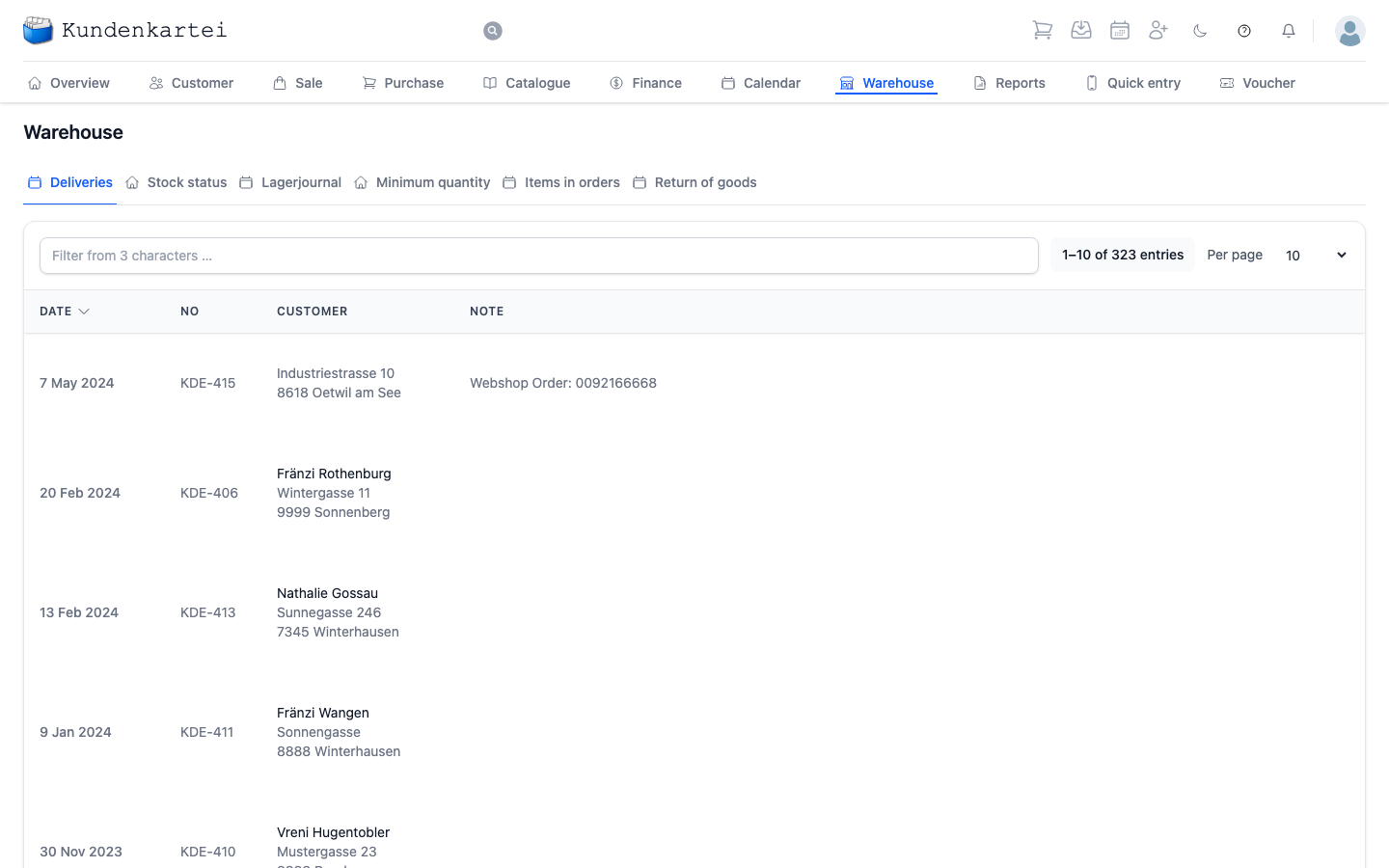
Warehouse shows what is on your shelves and what has moved — in as well as out.
The six tabs
The warehouse is the module with the most views. Each answers a question of its own:
| Tab | Question |
|---|---|
| Deliveries | What has gone out? |
| Stock status | What is here now? |
| Lagerjournal | What moved, and when? |
| Minimum quantity | What am I short of? |
| Items in orders | What is promised but not yet out? |
| Return of goods | What came back? |
Stock status and Lagerjournal (the stock journal; the application does not translate the name) belong together like a balance and a statement: one says how much, the other why. For every movement the stock journal shows date, customer, article, incoming and outgoing quantity and the Note — for a manual correction, that is where it says why it was needed.
Minimum quantity is the view that saves you work. It carries every article with a stored minimum quantity, your own as well as Déesse articles, with the minimum stock and the quantity In stock. A row turns red when the stock reaches or falls below the minimum quantity, orange when it is no more than ten pieces above it — your shopping list, without your having to keep one.
Return of goods lists the returns. You record a new return with the New return quick action in the header: first the customer, then the order. An order can have several returns. The form shows them under “Previous returns for this order” and, for each line, how much has already been taken back — “2 of 3 already returned”. You cannot take back more than was delivered. If the goods cannot be matched to a delivery, choose Return without delivery reference; the lines then come from the product search, with no limit on quantity.
The list of deliveries
The first tab is open when you enter the warehouse. The search field takes effect from three characters; sorting is by date, newest delivery first.
| Column | Content |
|---|---|
| Date | when it was delivered |
| No | the delivery note number |
| Customer | who received the goods |
| Note | what was recorded about it |
The note is usually empty. It is the place for what fits nowhere else — “left with the neighbour”, “address changed”.
Where to begin
- What do I have to reorder? The Minimum quantity tab
- Do I still have this? The Stock status tab
- Why is the stock wrong? The Lagerjournal tab shows every movement
- Looking up a delivery — number or customer name into the search field
Next
- Managing stock movements — step by step
- Purchase — what you have ordered
- Delivery — how a delivery note comes about