Finance
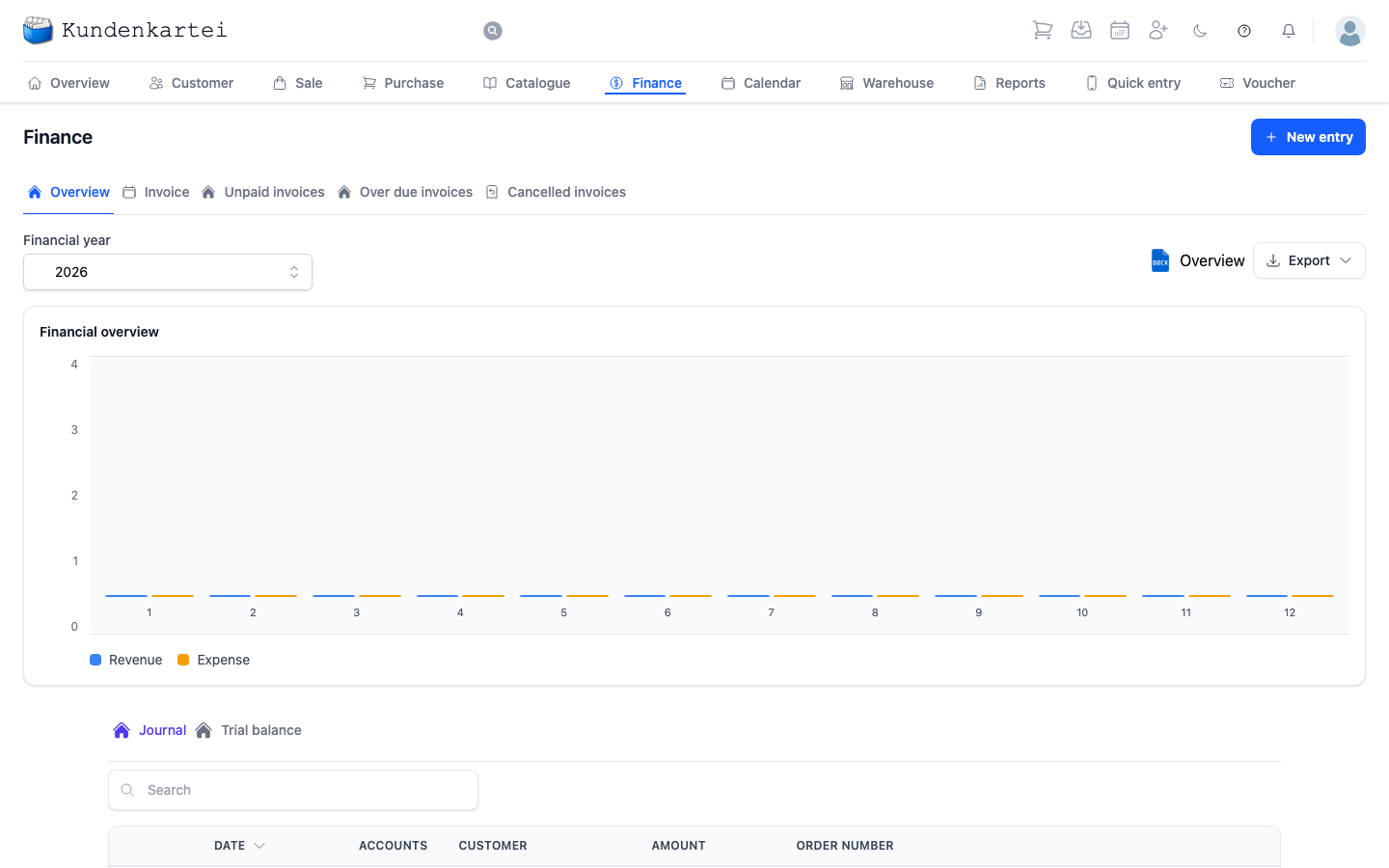
Finance is the Kundenkartei’s bookkeeping. Here you see what has come in and what has gone out — and here you record payments.
The financial year
At the top left you choose the financial year. That choice governs everything on the page: the chart, the journal, the trial balance. If figures you expect are missing, the wrong year is usually selected.
The tabs at the top
| Tab | What it shows |
|---|---|
| Overview | chart and journal, the page as pictured |
| Invoice | every invoice issued |
| Unpaid invoices | what is outstanding |
| Overdue invoices | what is outstanding and past the deadline |
The last two build on one another: overdue is always unpaid as well.
The chart
The Financial overview shows a pair of bars per month. One colour stands for income, the other for expenditure. The figures along the left edge give the order of magnitude; if you move the mouse over a bar, its amount appears above it.
The legend below the chart reads revenue for income and expense for expenditure.
An empty month does not mean nothing happened — it means nothing was booked.
Three outputs sit at the top right, next to the financial year: the Overview as a Word document, the Trial balance as an Excel spreadsheet for your accountant, and the Banana export – the journal of the selected financial year as a file that Banana Accounting reads via Import transactions. Each entry carries date, document, text, debit and credit account, amount and VAT code, with the account numbers of your chart of accounts. If an entry refers to an account missing from your chart of accounts, no file is created; the message says how many entries are affected. While one output is being created, the other two are locked.
The tabs below
The actual work lies below the chart:
- Journal — every single entry, in chronological order
- Trial balance — the accounts with their balances
Each journal row carries the date, the accounts involved, the customer, the amount and the order number the entry came from.
Where the setup lives
Chart of Accounts, Preferences and Invoice numbers were tabs here until September 2026. They are settings of your financial year, and they now sit where you set up everything else: under Settings → Finances. Bookkeeping has shown bookings rather than their setup ever since.
Where to begin
- Recording a payment — New entry at the top right
- Who owes me money? The Unpaid invoices tab
- Where do I have to send a reminder? The Overdue invoices tab
- For the accountant — download the trial balance as a spreadsheet
- For Banana Accounting — Banana export next to the trial balance, then Import transactions in Banana
Next
- Recording a booking — step by step
- Invoice — how an invoice comes about
- Sale — where the amounts come from