Calendar
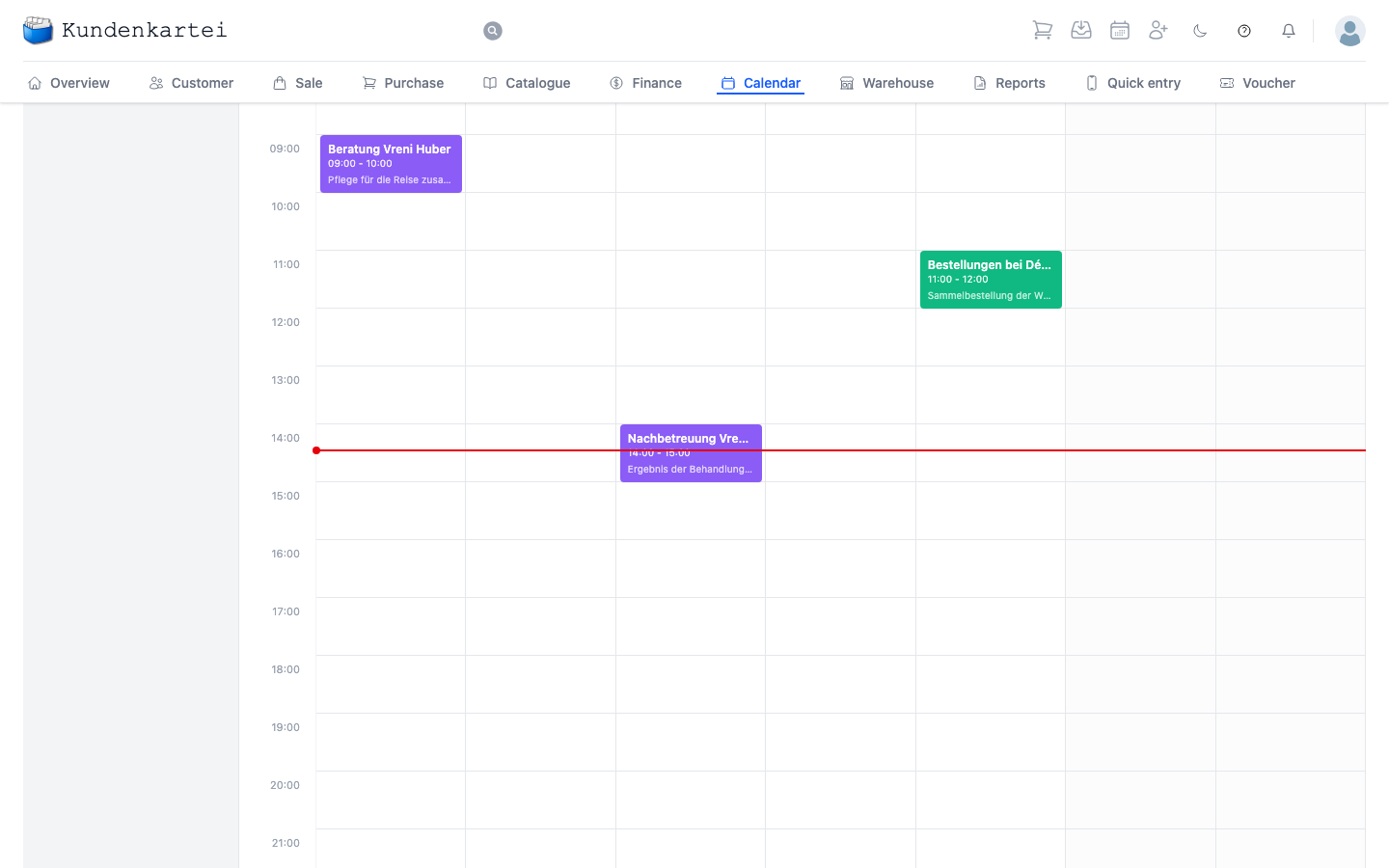
The Calendar records what takes place when — appointments with customers, your own tasks, and birthdays.
The three tabs
Calendar is the weekly view as pictured. Task lists your tasks. Birthday shows your customers’ birthdays.
The left column
A small monthly calendar sits at the top. The highlighted day is today; a click on another jumps there. The arrows page through the months.
Below it are the Filter types — five ticks that decide what appears in the main view. The application labels them in German in every language:
| Type | What for |
|---|---|
| Präsentation | appointments at or with a hostess |
| Termin | the ordinary arrangement |
| Aufgabe | what needs doing |
| Zeitverfolgung | recorded working time |
| Geburtstag | your customers’ birthdays |
All five are ticked by default. Anyone wanting to see only their presentations removes the other four. If an entry is invisible, look here first — an unticked box looks exactly like an empty calendar.
The view
Above the grid you choose Day, Week, Month or Year. On the right you page with the arrows; Today brings you back.
In the grid each column is a day and each row an hour. A separate row for All day sits at the very top — entries without a time appear there, birthdays included.
Clicking an entry opens it. A birthday is not an appointment: clicking it takes you to the customer.
Where to begin
- What is on today? Switch to Day
- Planning the week — the weekly view, as pictured
- An appointment is missing? Check the filter types first, then the date
- Who deserves congratulations? The Birthday tab
Next
- Managing the calendar — setting and moving appointments
- Overview — the day’s appointments at a glance
- Customer — who the appointment belongs to