Own profile
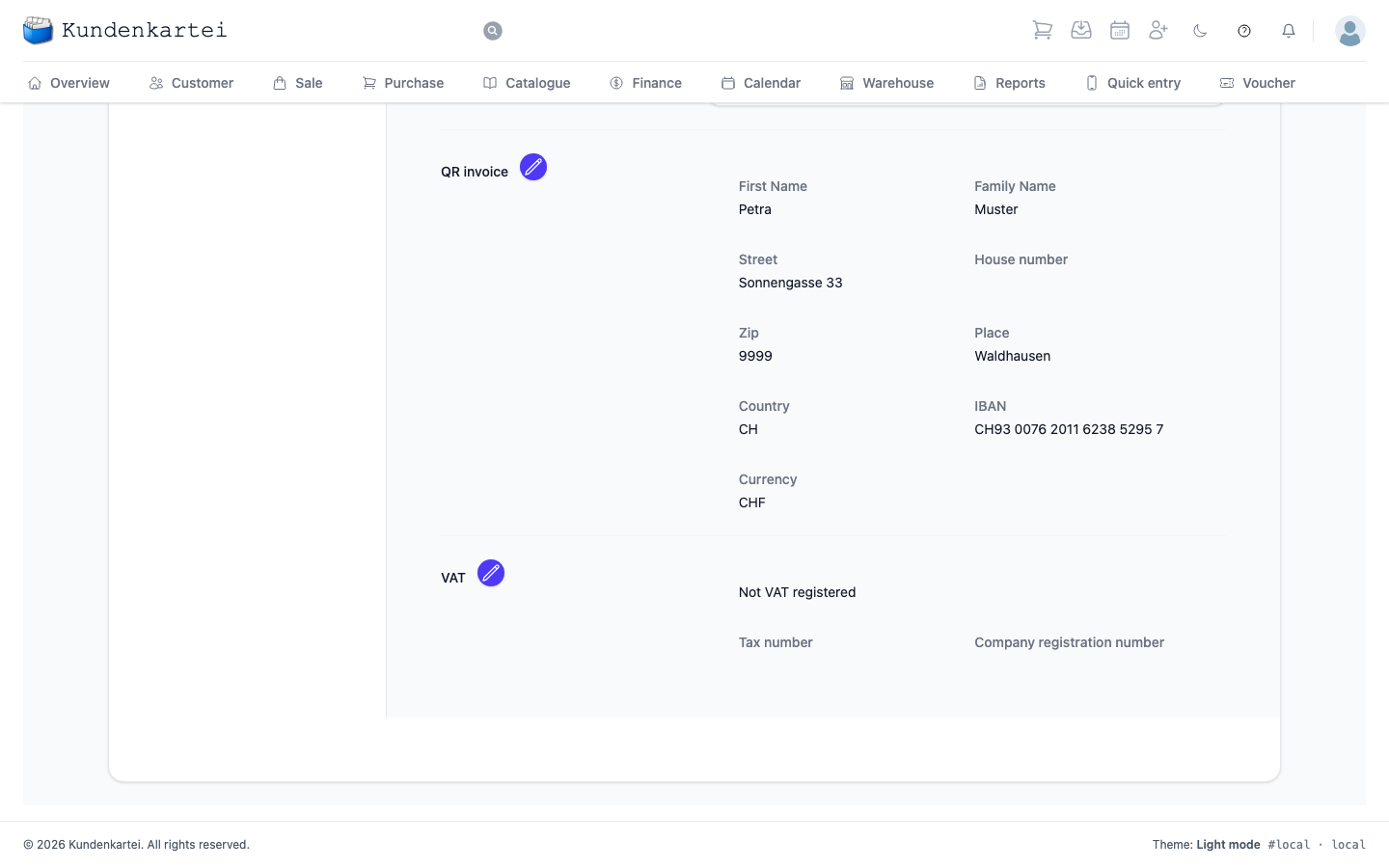
Your own details — name, address, contact and the language of the interface. You also see your licence and the sender details your invoices carry.
QR invoice
This group only exists if your country is Switzerland. It holds what appears on the payment part of your invoices: name and address, IBAN and Currency. The VAT number and company number are no longer here; they are in the VAT group.
VAT
You see this group in every country. The VAT registered switch states whether you are registered for VAT.
- VAT number only appears if you are VAT registered.
- Tax number and Company registration number you enter whether you are registered or not.
If you had entered a VAT number before, the switch is on, otherwise it is off. If you switch it off, your VAT number stays saved — it is only hidden.
What the switch does — and what it does not. It only affects the e-invoice, the data your PDF invoice carries for your customer’s bookkeeping. If you are not VAT registered, the items appear there as not subject to VAT, and your VAT number is not passed on. Your prices and the invoice itself stay as they are.
When the e-invoice is created, Kundenkartei points out two cases:
- You are VAT registered but have not entered a VAT number. The message tells you where to enter it.
- An invoice shows VAT although you are not VAT registered. Then check that the switch is set correctly.
This area is one of sixteen under Settings. How they fit together and in which order to set them up is on the Settings page.