Export
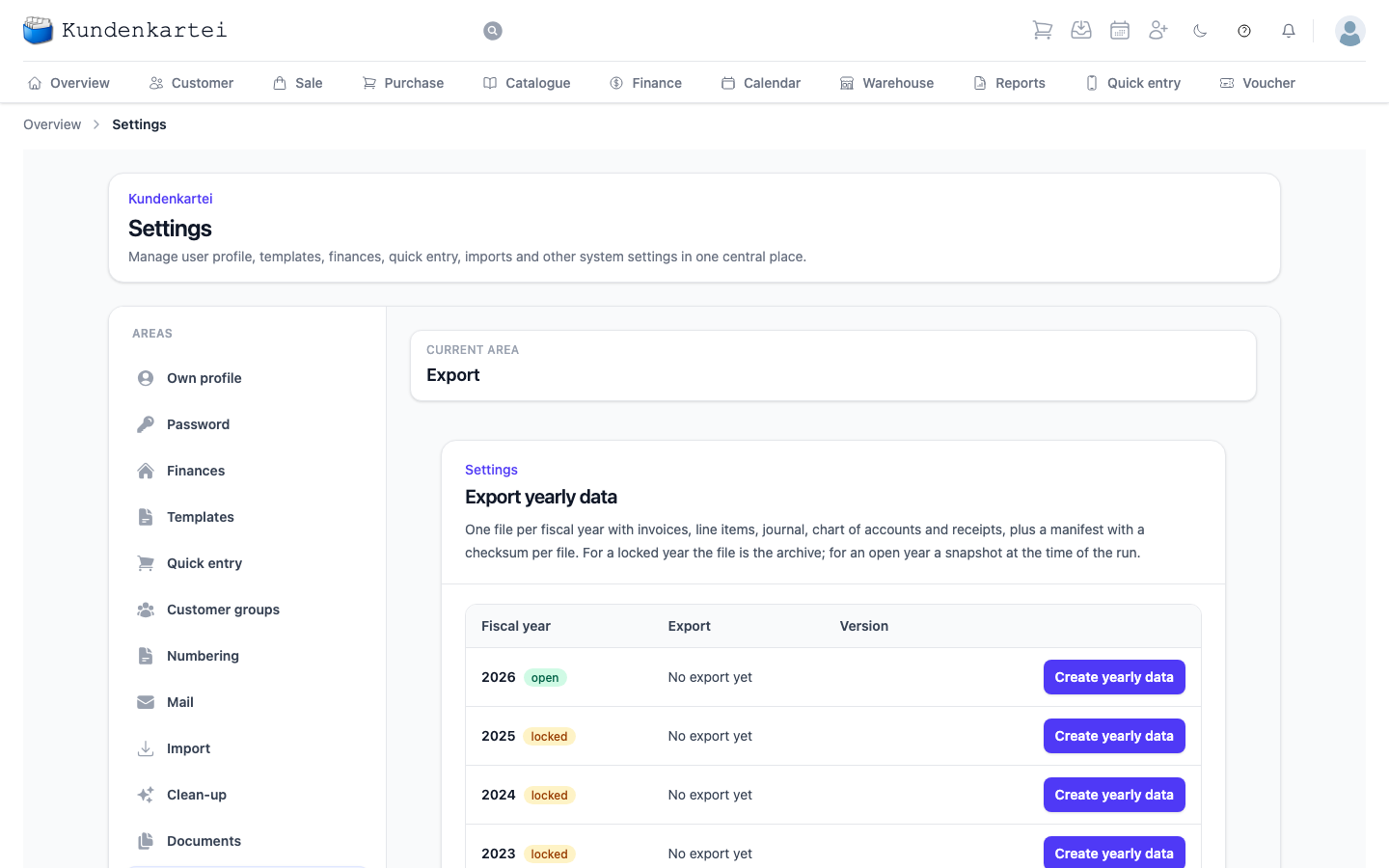
One row per fiscal year with the state of the yearly export. Create yearly data starts the run; after a finished export the button is called Create again. Once the file is ready, you fetch it with Download.
You can export any year: a locked one as an Archive, an open one as a Snapshot. The run creates the year’s documents afresh, so with many invoices it takes a few minutes — button and row say Being created … for that long. You can leave the page open; the row switches by itself as soon as the file is ready.
Link for 90 days issues a link to the finished file that you can copy and pass on.
The link needs no sign-in
Anyone who has the link fetches the file without signing in — even after your licence has expired, until the date shown. Pass it on only to whoever the data belongs to.
Exporting is not a closing
The export files a year’s data as a package. It does not lock the financial year and does not close it; that stays your decision under Finances.
This area is one of sixteen under Settings. How they fit together and in which order to set them up is on the Settings page.